Speak your next draft.

BluScriber is a keyboard for iPhone and a shortcut for Mac. Tap the mic, say it, and your words land where you’re typing. Dictation is free and runs on your device.

Coming soon to iPhone and Mac

9:41
MMorgan

Sent you the draft. Take a look when you can.

Looks good! Are we still on for this week?

Example text. The keyboard matches the BluScriber app.

Your thoughts move faster than your thumbs.

You know what you want to say. Typing it on a phone takes too long.

And spoken text often comes out messy: ums, missing commas, names spelled wrong.

Spoken: um so lets meet thursday at 10 and uh ill bring the notes

With BluScriber: Let’s meet Thursday at 10. I’ll bring the notes.

Tap. Talk. Done.

Three steps, right inside the app you’re already using.

  1. Tap the mic on your keyboard.

    The BluScriber keyboard has letter keys, swipe typing and emoji. The mic sits at the top right.

  2. Talk. The bars follow your voice.

    Say it the way you’d say it to a friend. Speech turns into text on your iPhone.

  3. Tap Stop. Your words go into the text field.

    Read it, change a word if you like, and send. Hold the spacebar to move the cursor.

Say it your way. Read it clean.

BluScriber removes the ums and adds punctuation on your device. Pick a style before you start. Your original words stay saved, so you can compare or copy either one.

Original recognition

will you be there tomorrow I can bring the tickets do you need a ride

Final text

Will you be there tomorrow? I can bring the tickets. Do you need a ride?

Example text from the BluScriber app. On-device cleanup needs a supported iPhone with Apple Intelligence, a supported language and downloaded models. Review the result before you send it.

Teach it your names once.

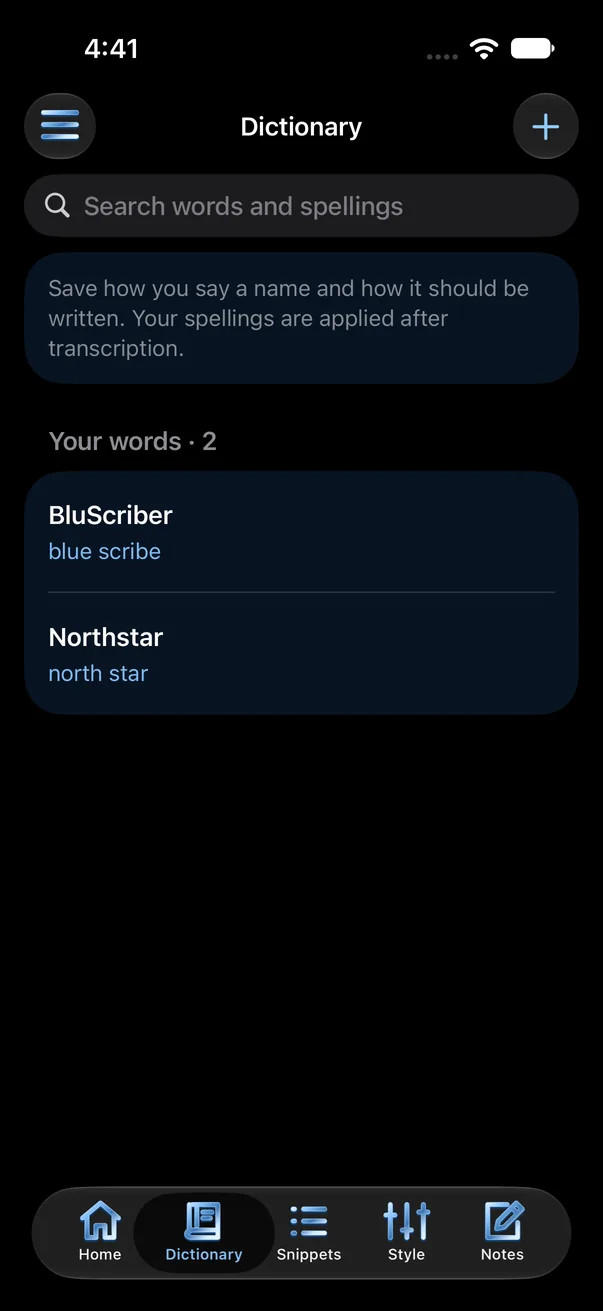
Add a name the way you say it and the way it should be written. Say “blue scribe” and get BluScriber.

blue scribe becomes BluScriber

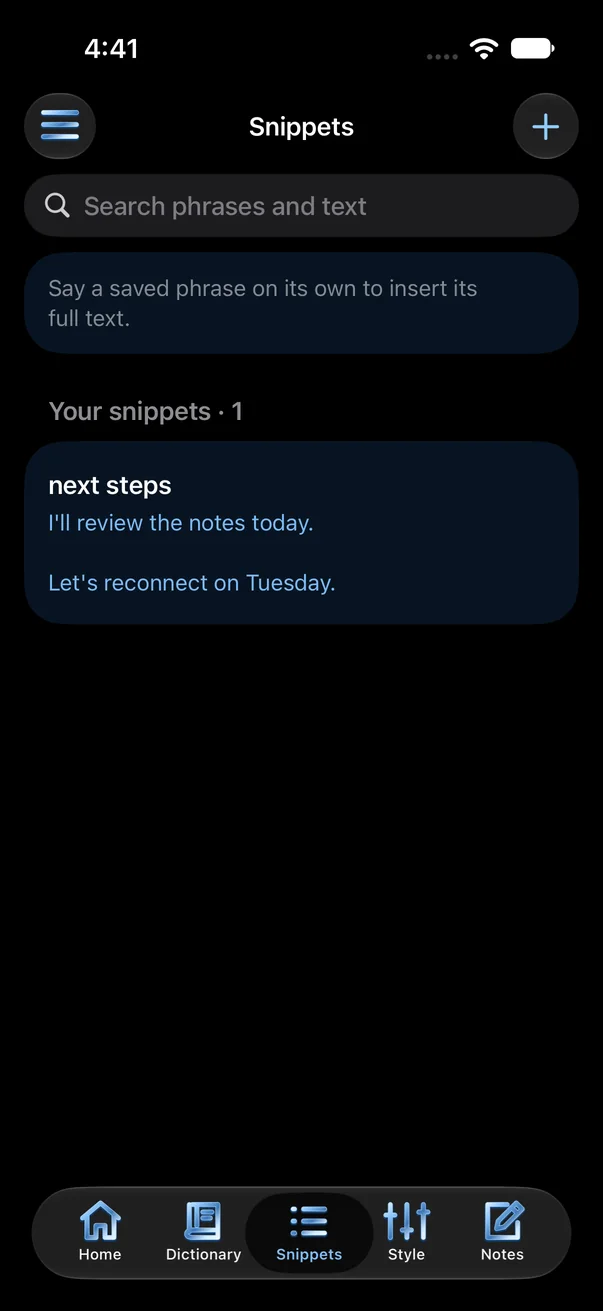
Save a phrase you use a lot. Say “next steps” and BluScriber writes the full text.

On Mac, fix a spelling once and BluScriber can learn it.

BluScriber Dictionary screen: BluScriber, spoken as blue scribe
Dictionary
BluScriber Snippets screen with a next steps snippet
Snippets

On your Mac, double‑tap Globe.

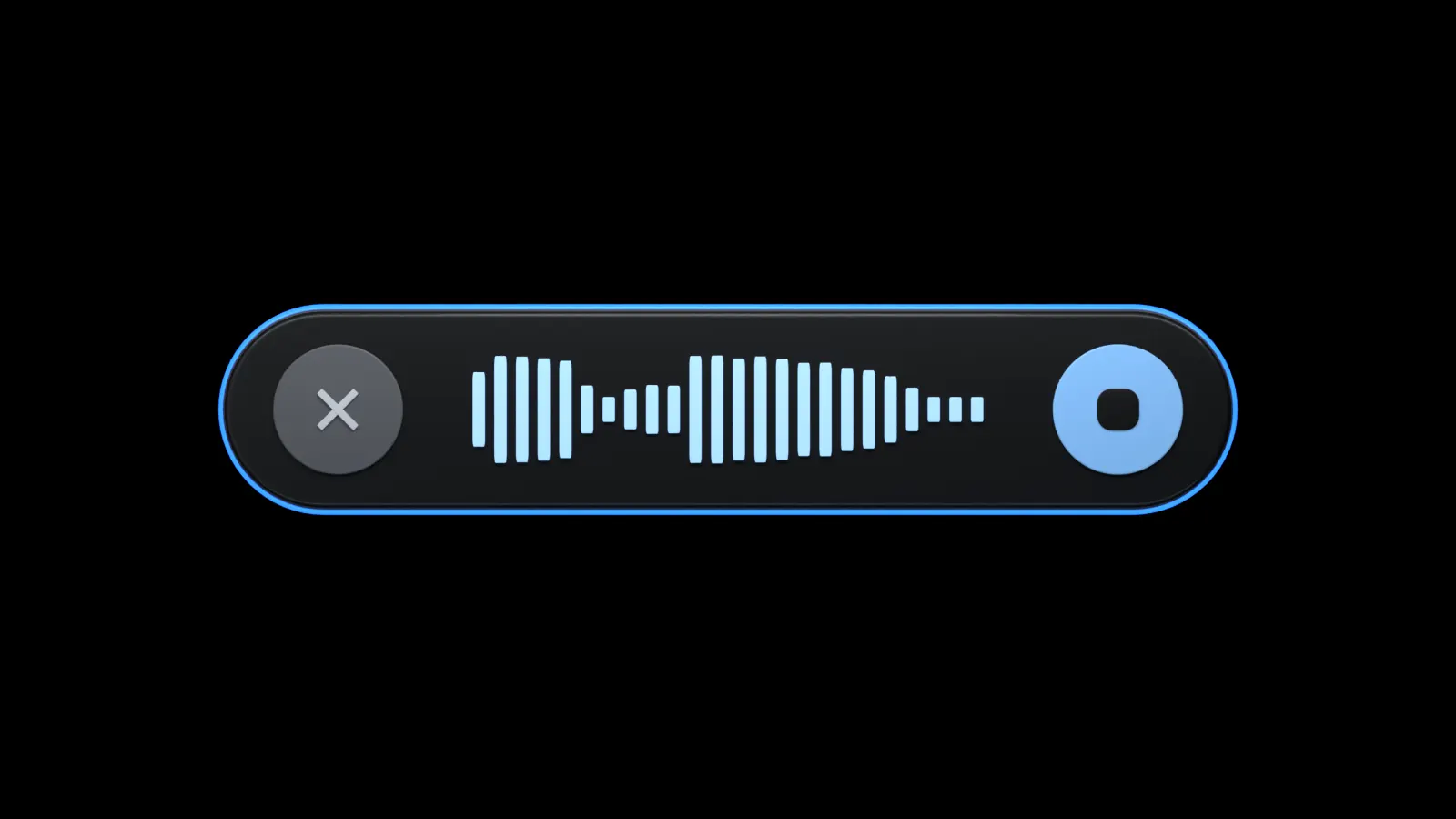
Start talking in any app. A small recorder sits at the edge of your screen. Tap Globe once to finish, and BluScriber pastes your words where you were typing.

If it can’t confirm the paste, your text waits behind a Copy button.

Twice to start.
Once to finish.

Prefer another shortcut? Pick any key with Control, Option or Command.

The BluScriber recorder on Mac: a black capsule with Cancel, sound bars and Stop, edged in blue while recording
Rendered from the Mac recorder’s design.
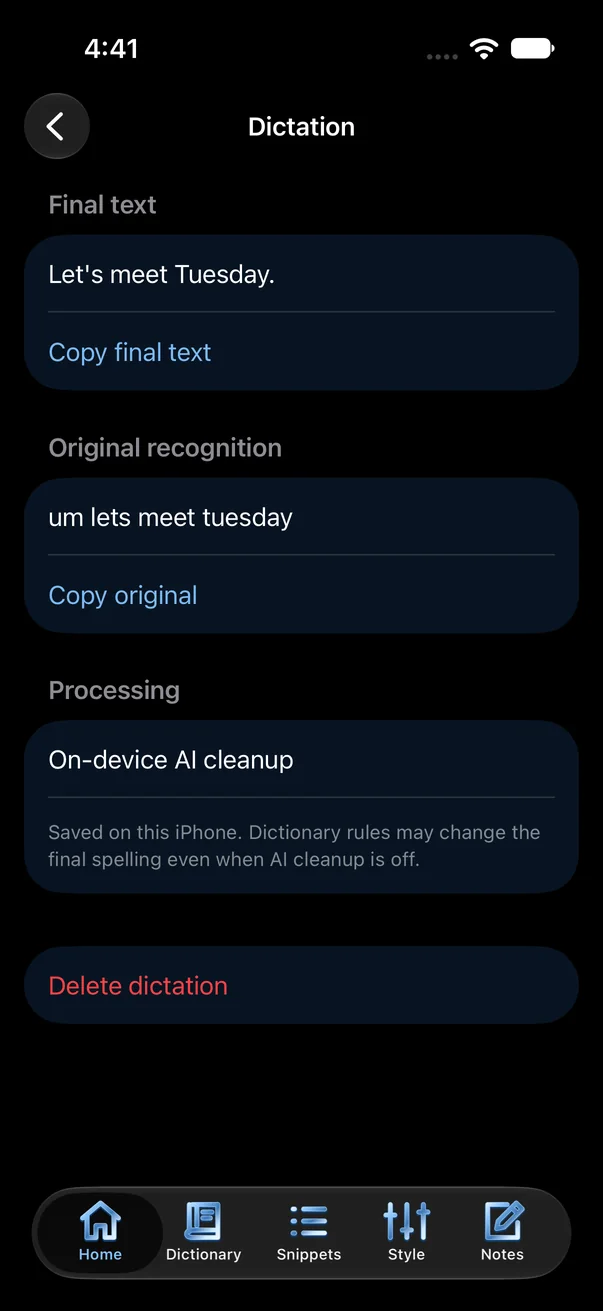
A saved dictation showing its final text and original recognition
History
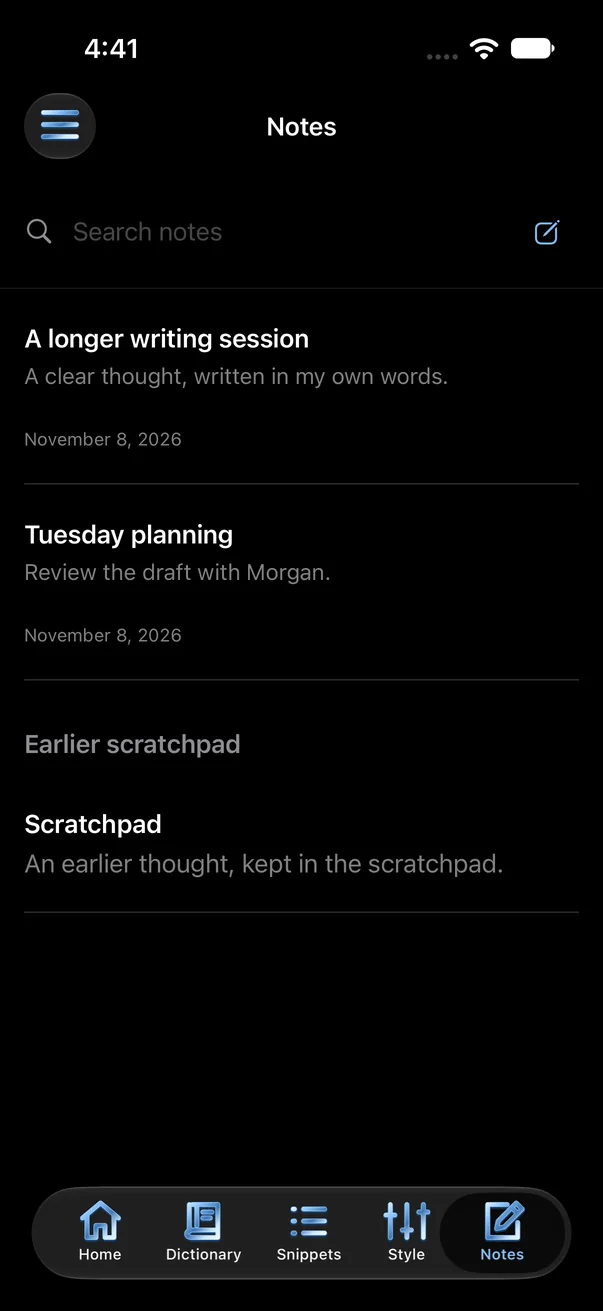
BluScriber Notes list
Notes

Every word is saved on your device.

Find any past dictation. See what you said and what was written, and copy either. Keep longer ideas in Notes.

  • Speech turns into text on your device.
  • Audio is never sent for cleanup. Cloud cleanup is a Pro option you turn on yourself.
  • Your original words stay in history.
  • No ads.

Dictate for free.

Free local dictation; Pro adds cloud cleanup and sync. You turn each Pro feature on yourself.

Free

$0

Everything you need to talk instead of type.

  • Speech to text on iPhone and Mac
  • The BluScriber keyboard: letter keys, swipe and emoji
  • Mac shortcut and recorder
  • On-device cleanup where your device supports it
  • Dictionary, snippets, history and Notes on your device

Pro

$2.99 a month or $24.99 a year

7 days free for eligible new subscribers. Everything in Free, plus:

  • Cloud cleanup with Claude, when you turn it on. No audio is sent.
  • Sync your dictionary, snippets and style between iPhone and Mac
  • Sync your history too, as a separate choice

Not on sale yet. These are the planned US App Store prices. Pro renews until you cancel it in your Apple subscription settings.

Have a paid iBluSend account? We plan to include BluScriber Pro for up to 10 named people on it. This is still in development.

Coming soon to iPhone and Mac.

Dictation will be free on both. Pro is optional.

See plans

Questions

What do I need?

On iPhone: iOS 26 or later, the BluScriber keyboard added in Settings with Full Access, and microphone access. On Mac: allow Microphone, Speech Recognition and Accessibility for BluScriber.

Why does BluScriber open when I tap the mic?

On iPhone, the microphone runs in the BluScriber app. Start a session there, then swipe back to your app. The session stays ready until it ends or you stop it.

Will it work in every app?

It works in most text fields. iOS uses Apple’s keyboard for passwords and some number fields. We’re still testing more apps.

Where does cleanup happen?

On your device by default. Cloud cleanup with Claude is a Pro option you turn on. It sends your new transcript and writing style, never audio. See what BluScriber shares.

Is there a free version?

Yes. Dictation is free and has no ads. The planned US App Store price for Pro is $2.99 a month or $24.99 a year. Eligible new subscribers can try it free for seven days. See the plans.

Is it included with iBluSend?

We plan to include BluScriber Pro for up to 10 named people on each paid iBluSend account, across their devices. This is still in development and not available yet.

Can I still type?

Yes. The keyboard has letter keys, swipe typing, word suggestions and emoji. Swipe typing is still being tuned. The globe key switches to your other keyboards.

Which languages work?

Available languages and speech models depend on your device.